Quick Answer
Choosing the wrong rental software is an expensive mistake. Not because the monthly cost is high, but because every gap in the software becomes a manual process your team has to fill — and manual processes fail at the worst possible time, which is peak season.
Cloud rental software should eliminate operational friction, not add to it. However, most platforms do some things well and leave others to spreadsheets, paper forms, or third-party tools. Knowing which nine features actually matter — and how to evaluate whether a platform covers them — will help you make the right choice and avoid replacing one problem with another.
Feature 1: Real-Time Inventory Tracking
Real-time inventory tracking in cloud rental software means that every booking, return, and maintenance hold updates item availability instantly and automatically across all booking channels, so no two customers can ever be assigned the same equipment for the same time period.
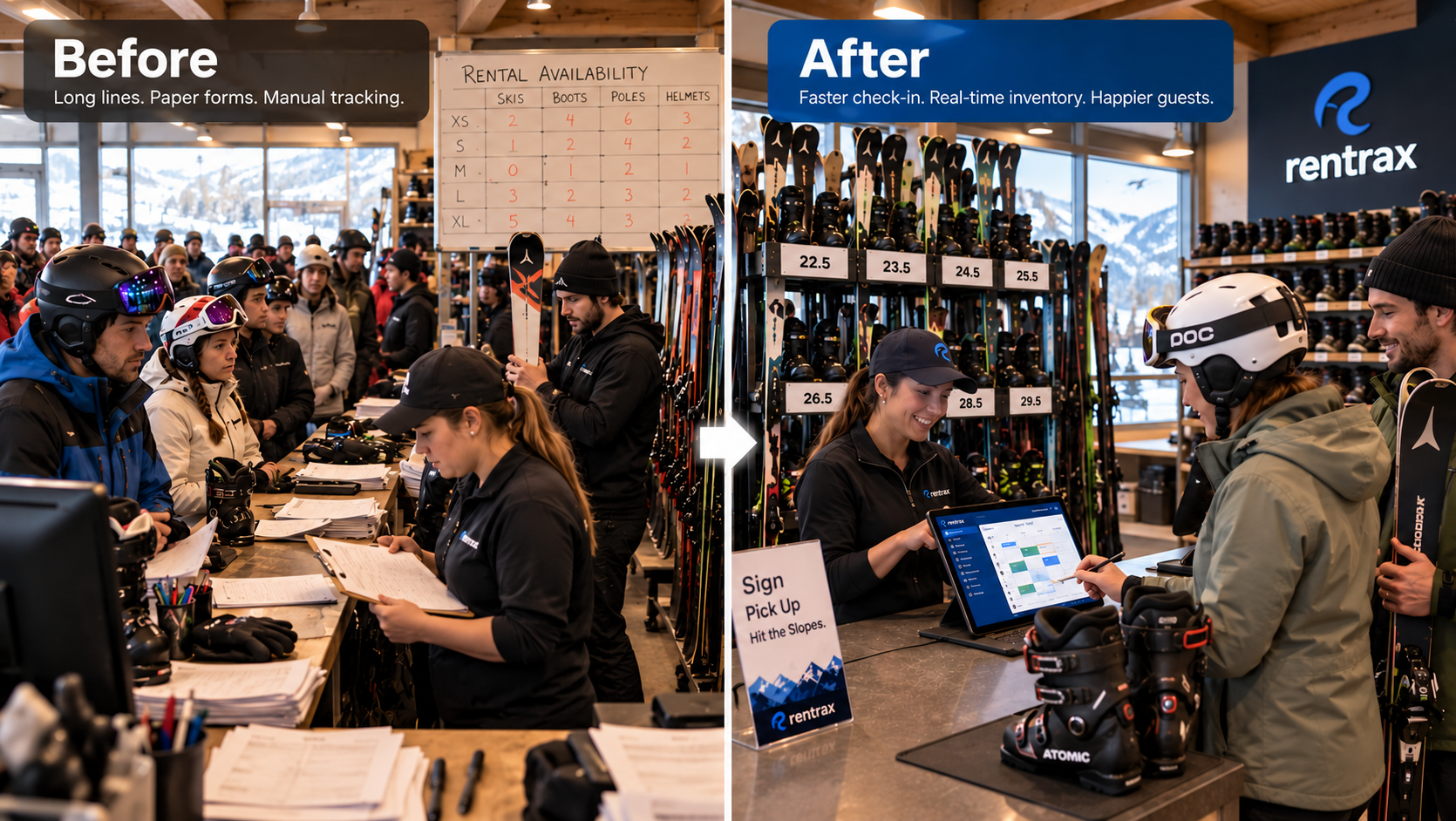
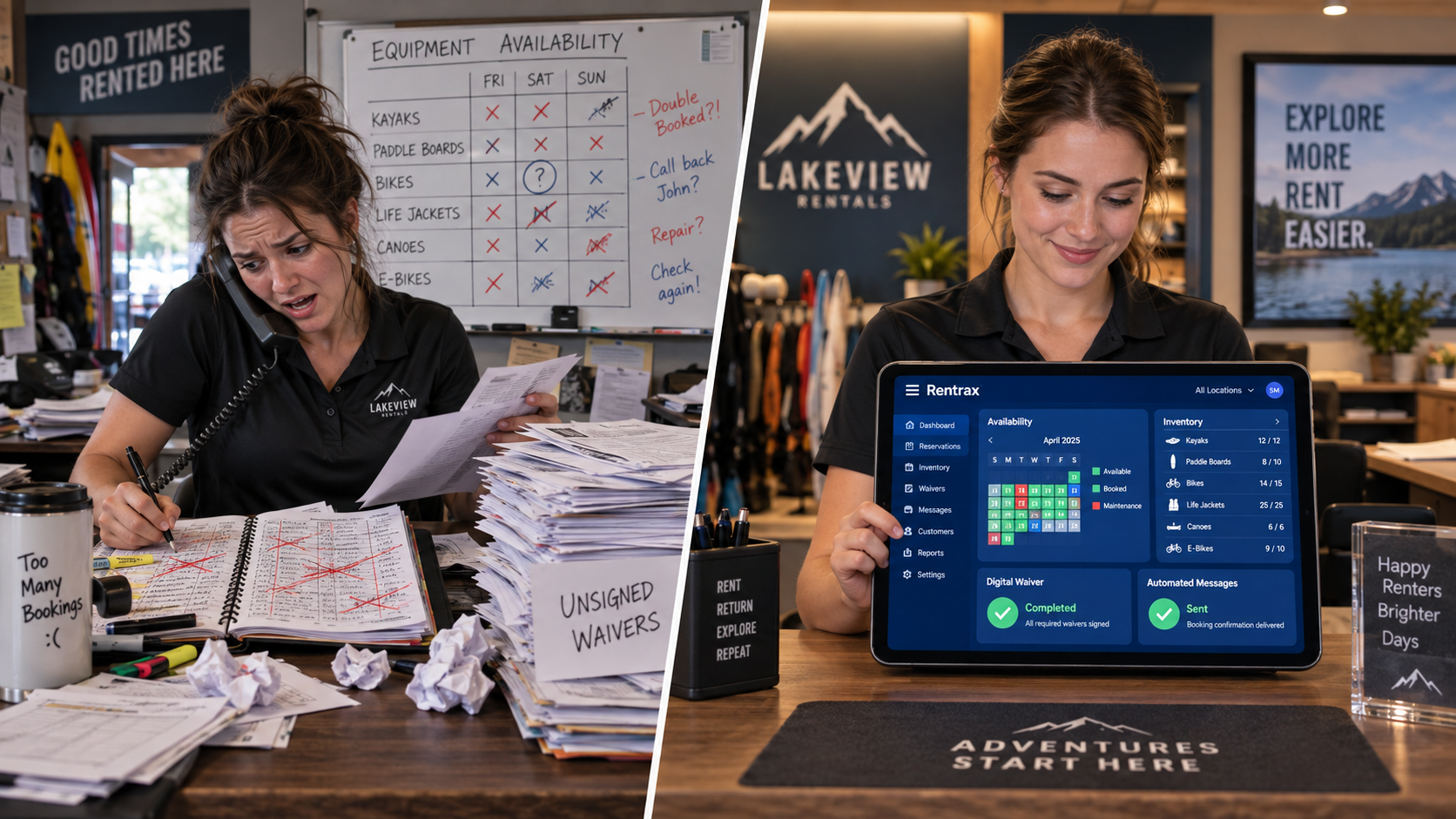
Double-bookings are the most common and most damaging operational failure in rental businesses. They happen when inventory is tracked manually — on a whiteboard, a spreadsheet, or a shared calendar — and two bookings are entered before anyone updates the count. The result is a customer who arrives to pick up equipment that is already gone.
Real-time inventory tracking prevents this by treating every piece of equipment as a live record that responds to every booking action. When a customer reserves a kayak online, that kayak becomes unavailable immediately — not when a staff member remembers to update the sheet. According to the American Rental Association, the equipment rental industry is on track to exceed $82 billion in annual revenue. At that scale, inventory accuracy is a direct revenue driver, not just an operational convenience.
What to look for: availability updates that happen the moment a booking is confirmed or cancelled, visibility across every order channel simultaneously, and item-level tracking for serialized equipment rather than just category-level counts.
Feature 2: Multi-Channel Booking Sync
Multi-channel booking sync means that reservations made through your website, by phone, in person, or through any other channel all feed into a single inventory pool and update availability simultaneously, preventing conflicts regardless of where the order originates.
Most rental businesses take orders through more than one channel. A customer books online. Another calls the shop. A third walks in. If these channels update inventory independently — or if any one of them requires a manual sync — you have a gap where double-bookings can occur.
True multi-channel sync means a single inventory pool feeds every order entry point. Your website, your counter, your phone orders, and any backend orders placed by staff all draw from the same real-time availability and update it instantly when a booking is placed or changed.
What to look for: a unified dashboard that shows all order channels in one place, no manual syncing required between channels, and the ability for multiple staff members to take orders simultaneously without overwriting each other.
Feature 3: Maintenance Scheduling
Maintenance scheduling in rental software automatically blocks equipment from being booked during scheduled service, repair, or inspection windows, ensuring that damaged or out-of-service items cannot be rented until they are cleared as ready.
Equipment that goes out without being inspected or repaired creates two problems: a safety risk for the customer and a revenue loss when the item breaks down mid-rental and has to be replaced or refunded.
Maintenance scheduling addresses this by treating service windows as a type of booking. When you log a repair or schedule a routine inspection, the item is automatically marked unavailable for that period. Staff cannot accidentally book it out. It will not appear as available on your website. Furthermore, when the service is complete and you clear the item, it becomes bookable again immediately without any manual update.
What to look for: the ability to schedule both recurring maintenance and one-off repairs, automatic availability blocking during service windows, and a maintenance history log per item so you can track service intervals over time.
Feature 4: Digital Waivers and E-Signatures
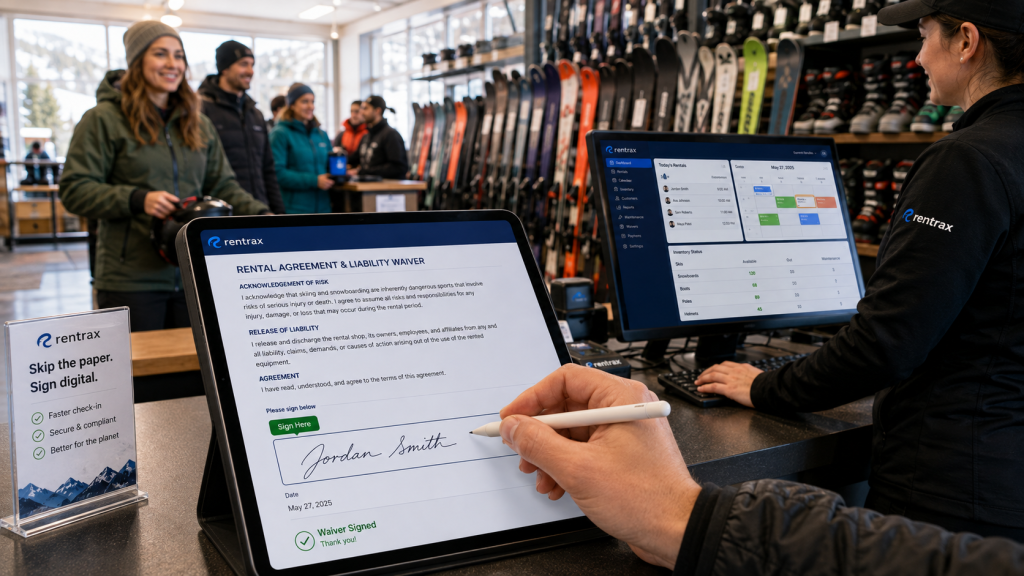
Digital waivers in cloud rental software replace paper forms with electronic agreements that customers sign online, either before they arrive or at check-in, with signed documents automatically stored against the rental record and the customer profile.
Paper waivers create three problems simultaneously. They slow down check-in because customers sign at the counter instead of before they arrive. They create filing liability because a paper form can be lost, damaged, or misfiled. And they introduce a gap between the waiver and the rental record — the signed form exists on paper while the booking lives in your software, and the two are never formally connected.
Digital waivers eliminate all three. Customers can sign remotely before the rental date, so check-in is faster. The signed document is stored electronically and attached directly to the booking and the customer profile. Therefore, if a dispute arises months later, you can retrieve the signed waiver in seconds without searching a filing cabinet.
What to look for: built-in waiver creation without a third-party tool, remote signing via email or SMS link, automatic attachment to the customer record, and a searchable archive of all signed documents.
Feature 5: Connected Customer Profiles
Connected customer profiles in rental software store each renter’s contact details, rental history, signed waivers, attached documents, and any staff notes in a single record that is accessible during booking, check-in, and any future interaction without switching between systems.
When customer data lives separately from bookings and inventory, your team wastes time at the worst moments. A customer calls to change a reservation and the staff member has to search two systems. A repeat customer checks in and no one can see their previous rental history without asking. A waiver needs to be retrieved and it is on a different computer.
Connected customer profiles solve this by making every relevant piece of information available from a single lookup. You can see what this customer has rented before, what equipment they typically use, whether they have a signed waiver on file, and any notes from previous interactions — all in one place, accessible from the counter, from the mobile app, or from any device.
What to look for: customer records that automatically link to bookings and signed documents, the ability to store IDs and attachments against the profile, rental history visible at a glance, and mobile access so staff can pull up records without going to a desk.
Feature 6: Flexible Payment Processing
Flexible payment processing in cloud rental software means the platform can accept deposits at booking, collect balances at pickup or return, handle partial payments, process refunds, and integrate with major payment gateways — all within the same system that manages the rental record.
Rental businesses do not always collect full payment at booking. Event rentals take deposits. Long-term rentals may have staged payments. Damage charges or add-ons get settled on return. If your software cannot handle these scenarios natively, your team is reconciling payments manually — matching transactions from a payment terminal to bookings in the rental system by hand.
Flexible payment processing keeps all financial transactions connected to the rental record. A deposit taken at booking reduces the balance automatically. A damage charge added at return attaches to the order. Refunds are processed within the same system. As a result, your financial records stay clean and your team does not spend time on manual reconciliation.
What to look for: support for deposits and partial payments, integration with Stripe and Square or equivalent gateways, the ability to take payments from any device, and automatic linkage between transactions and the rental record.
Feature 7: Multi-Location Management
Multi-location management in cloud rental software lets a single account manage separate inventories, teams, pricing structures, and booking calendars across multiple physical locations, with a unified dashboard that shows activity across all sites without requiring separate logins or manual data consolidation.
Rental businesses that operate from more than one location face a specific challenge: their inventory exists in different physical places, their staff work at different sites, and their customers may pick up and return equipment at different locations. Specifically, managing this with separate systems for each site means that a manager can never see the full picture without logging into multiple accounts and manually combining the data.
Multi-location management solves this with a unified view. You can set different inventory pools, pricing rules, and team access for each location, while still seeing total revenue, equipment status, and booking activity across all sites from one dashboard. This is particularly important for businesses where equipment is sometimes transferred between locations based on demand.
What to look for: separate inventory pools per location with a combined view, location-specific pricing and availability, staff permission controls by location, and reporting that shows performance by site as well as overall.
Feature 8: Automated Customer Communication
Automated customer communication in rental software sends booking confirmations, pre-rental reminders, return reminders, and overdue notices to customers automatically based on rental timelines, without requiring manual follow-up from staff.
Staff time spent on customer communication is a hidden operational cost. Sending confirmation emails manually, calling customers to remind them of their return time, and following up on overdue rentals are all tasks that a well-configured rental platform should handle automatically.
Automated communication works by triggering messages based on booking events and timelines. A confirmation goes out when the booking is placed. A reminder goes out the day before the rental. A return reminder goes out a few hours before the equipment is due back. An overdue notice goes out if the return window passes. Moreover, each message pulls the correct customer name, equipment details, and return time from the booking record — no template filling required.
What to look for: configurable triggers for each communication type, branded email and SMS templates, the ability to customize timing and message content, and a log of communications sent so staff can see what the customer has received.
Feature 9: Reporting and Analytics
Reporting and analytics in cloud rental software show operators revenue by time period, location, or equipment category, equipment utilization rates, demand patterns, and outstanding balances — giving rental business owners the data they need to make pricing, fleet, and staffing decisions.
A reservation calendar tells you what is booked. It does not tell you which equipment earns the most revenue per day, which category is underutilized, which months have the longest average rental duration, or how much outstanding payment is sitting in your accounts receivable. Without this data, pricing decisions are guesses and fleet investment decisions are based on intuition.
Reporting turns operational data into business intelligence. Utilization reports show which items spend the most time rented versus sitting idle, so you know what to buy more of and what to retire. Revenue reports show seasonal patterns that inform pricing adjustments and staffing levels. Outstanding balance reports show where payment follow-up is needed. Consequently, every major business decision is grounded in actual performance data rather than estimates.
What to look for: revenue reports filterable by location, category, and time period; equipment utilization rates; outstanding payment tracking; and the ability to export data for accounting integration.
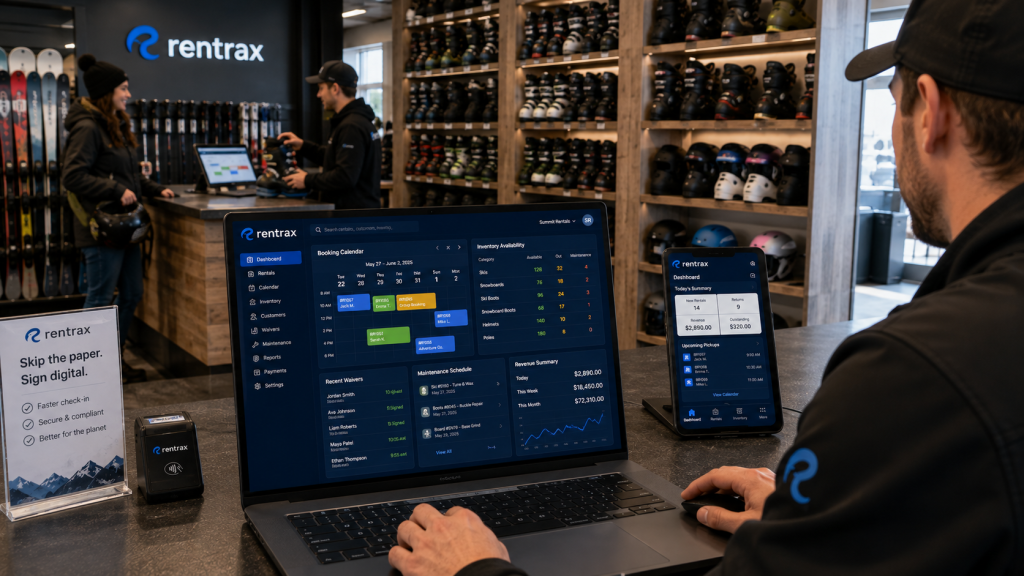
How Rentrax Covers All 9 Features in One Platform
Most cloud rental platforms cover four or five of these features well and leave the rest to workarounds or third-party integrations. However, Rentrax was built to cover all nine in a single connected system — designed by a former rental business owner who experienced the exact gaps these features are meant to close.
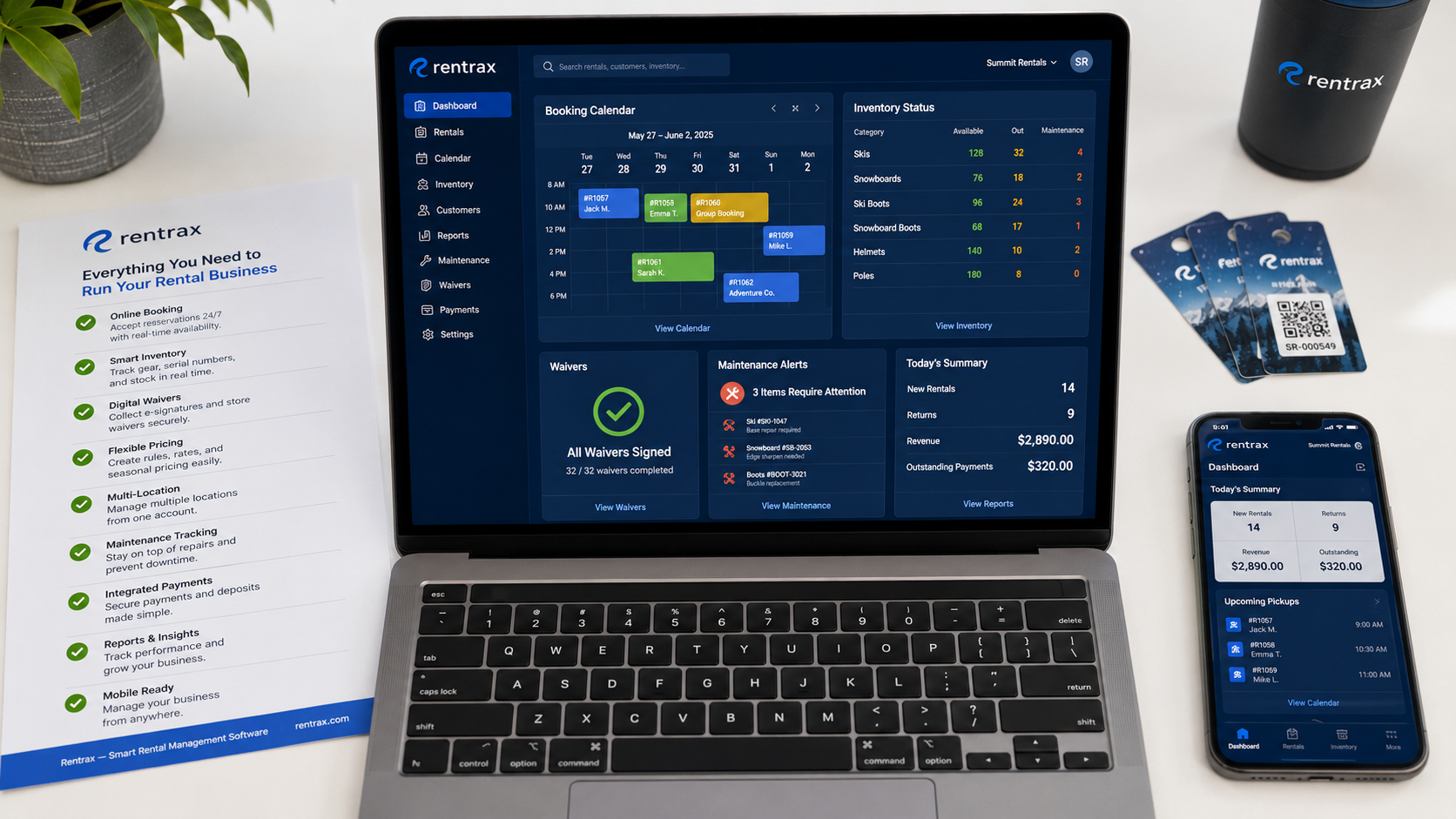
✅Real-time inventory tracking: availability updates instantly across all channels the moment a booking is placed, changed, or cancelled
✅Multi-channel booking sync: online, phone, walk-in, and backend orders all feed the same inventory pool with no manual syncing required
✅Maintenance scheduling: equipment is automatically blocked from booking during logged repairs or scheduled service, and cleared automatically when marked ready
✅Digital waivers: built-in waiver creation, remote signing via email or SMS, and automatic attachment to the customer profile — no third-party tool required
✅Connected customer profiles: rental history, signed documents, contact details, and staff notes in one record, accessible from the counter or the mobile app
✅Flexible payment processing: deposits, partial payments, damage charges, and refunds all connected to the rental record, with Stripe and Square integration
✅Multi-location management: separate inventories, teams, and pricing per location with a unified dashboard showing all sites
✅Automated communication: branded email and SMS confirmations, reminders, and overdue notices triggered automatically based on booking timelines
✅Reporting and analytics: revenue by location, category, and period; utilization rates; outstanding balances; and data export for accounting
Over 5,000 rental businesses across 20+ countries use Rentrax to run their operations. Businesses report a 67 percent reduction in booking time and 20 percent lower operational costs after switching from disconnected systems to Rentrax.
If you are evaluating cloud rental software and want to see how all nine features work together in practice, book a free Rentrax demo today. You can also review pricing tiers on the pricing page to find the right plan for your operation.
FAQs About Cloud Rental Software Features
-
What features should I look for in cloud rental software?
Cloud rental software should include nine core features: real-time inventory tracking, multi-channel booking sync, maintenance scheduling, digital waivers and e-signatures, connected customer profiles, flexible payment processing, multi-location management, automated customer communication, and reporting and analytics. Platforms that cover all nine natively eliminate the need for separate tools, manual workarounds, and data reconciliation between disconnected systems. Rentrax covers all nine in one connected platform.
-
How does cloud rental software prevent double-bookings?
Cloud rental software prevents double-bookings through real-time inventory tracking that updates item availability the moment a booking is placed. When a customer reserves equipment online, by phone, or in person, the system immediately marks that item as unavailable for the reserved time period across all booking channels simultaneously. This means no two customers can be assigned the same equipment, regardless of which channel they booked through.
-
What is the difference between cloud rental software and a basic booking system?
A basic booking system records reservations and manages a calendar. Cloud rental software manages the full operational lifecycle: inventory tracking, maintenance scheduling, customer profiles, digital waivers, payment processing, automated communication, and multi-location management. The practical difference is that a booking system records what happens while cloud rental software runs the operation -- automating the processes that a basic system leaves to manual effort.
-
Can cloud rental software handle multiple locations?
Cloud rental software with multi-location management can run separate inventories, pricing structures, and team permissions for each physical location, while showing a unified view of all sites from one dashboard. Rentrax supports multi-location operations natively, allowing managers to see total revenue, equipment status, and booking activity across all sites without logging into separate accounts or manually consolidating data.
-
Do I need a separate tool for digital waivers if I use rental software?
You should not need a separate waiver tool if your cloud rental software includes built-in digital waiver functionality. Rentrax includes native waiver creation, remote signing via email or SMS link, and automatic attachment of signed waivers to the customer profile and rental record. This eliminates paper forms and the liability gap that comes from storing waivers separately from the bookings they are associated with.
-
How does automated communication work in rental software?
Automated communication in rental software sends pre-written messages to customers based on booking events and timelines. When a booking is confirmed, the software sends a confirmation email or SMS automatically. As the rental date approaches, it sends a reminder. When the return window is near, it sends a return reminder. If the equipment is overdue, it sends a follow-up notice. Each message pulls the correct customer name, equipment details, and dates from the booking record, requiring no manual input from staff.